

Are you tired of losing WiFi signal when you step outside? Imagine enjoying fast, reliable internet anywhere in your yard, garden, or patio without interruptions.
Extending your WiFi range outdoors is easier than you think, and the benefits go beyond just streaming or browsing. You’ll discover simple, effective ways to boost your outdoor WiFi signal so you can stay connected wherever you are. Keep reading to unlock tips that will transform your outdoor internet experience.
Assess Your Current Wifi Setup
Before you think about boosting your outdoor WiFi range, take a moment to assess your current setup. Understanding where your network stands can save you time and effort. It also helps you spot simple fixes that make a big difference.
Check Router Placement
Where your router sits inside your home matters a lot. If it’s tucked away in a corner or behind thick walls, the signal struggles to reach outside. Try placing it near a window or a central spot on the first floor to give your outdoor areas better coverage.
Think about how you moved your router last time you had slow WiFi outside. Did a small shift improve things? That’s a clue to how much placement affects your signal.
Evaluate Signal Strength
Use your phone or laptop to test WiFi signal strength in different outdoor spots. Apps like WiFi Analyzer or NetSpot can show you where the signal is strong or weak. This helps you map out the best and worst coverage areas.
Have you noticed some spots where your signal drops completely? Pinpointing these areas can guide you on where to add boosters or antennas.
Identify Interference Sources
Many things block or weaken WiFi signals outdoors—trees, walls, even your neighbor’s network. Metal objects and thick concrete walls are especially problematic. Take note of what lies between your router and your outdoor space.
Have you checked if your router’s channel overlaps with nearby networks? Changing the channel can reduce interference and improve your range.
Choose The Right Equipment
Choosing the right equipment is key to extending your WiFi range outdoors. The right tools help boost signal strength and reach. Not all devices work well outside. Outdoor conditions need gear designed to handle weather and distance.
Investing in proper equipment ensures a stable connection across your yard or patio. It also reduces dead zones and slow speeds. Focus on devices made specifically for outdoor WiFi extension.
Select Outdoor Wifi Extenders
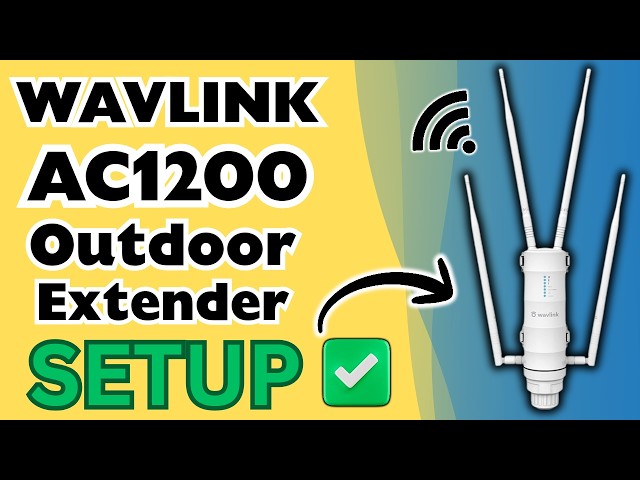
Outdoor WiFi extenders are built to handle rain, wind, and sun. They repeat your existing WiFi signal to cover larger areas. These extenders have weatherproof cases and strong antennas. Place them where the signal is still strong but near the area you want to cover.
Look for extenders with easy setup and good range. Some models offer adjustable antennas to point the signal where needed. This helps reach farther without losing strength.
Use High-gain Antennas
High-gain antennas send WiFi signals farther than standard ones. They focus the signal in one direction, increasing reach and speed. These antennas are perfect for outdoor use where distance is a challenge. You can attach them to routers or extenders.
Choose antennas rated for outdoor conditions. Directional antennas work best if you want to cover a specific area. Omnidirectional antennas spread the signal in all directions but with less distance.
Consider Mesh Wifi Systems
Mesh WiFi systems use multiple devices to create one big network. Each device talks to the others to cover large outdoor spaces. Mesh systems are easy to expand by adding more nodes. They provide a smooth connection with no dead spots.
Outdoor mesh nodes are weatherproof and designed for wide coverage. They automatically choose the best path for your signal. This keeps your outdoor WiFi fast and reliable.
Optimize Router Settings
Optimizing your router settings can improve your WiFi range outdoors. Small changes in settings can boost signal strength. These tweaks help your router work more efficiently. Adjusting settings also reduces interference and connection drops. Keep your network stable and fast outside your home.
Adjust Channel And Frequency
Select the right channel to avoid interference. Many routers use 2.4 GHz and 5 GHz bands. The 2.4 GHz band covers a larger area but is slower. The 5 GHz band is faster but covers less distance. Use 2.4 GHz for better outdoor range. Check for crowded channels and switch to a quieter one. Tools like WiFi analyzers can help find the best channel.
Update Firmware Regularly
Firmware updates fix bugs and improve performance. Router makers release updates to enhance signal strength. Regular updates keep your router secure too. Set your router to update automatically if possible. Check the manufacturer’s website for the latest firmware. Updating ensures your router works at its best.
Set Up Guest Networks
Creating a guest network separates visitors from your main network. This reduces traffic on your primary WiFi. Less traffic means better speed and range outdoors. Guest networks also improve security by limiting access. Enable guest mode in your router settings for easy setup. Manage who connects without affecting your main connection.

Credit: www.amazon.com
Implement Physical Enhancements
Implementing physical enhancements can improve your outdoor WiFi coverage significantly. These adjustments help extend the signal strength and reduce dead zones in your yard or garden. Simple hardware upgrades and smart device placements can create a more reliable outdoor network.
Use Wifi Repeaters Strategically
Wifi repeaters boost the signal by receiving and retransmitting it. Place them near the edge of your current WiFi range. This placement helps catch the weak signal and push it further outside. Avoid placing repeaters too far from the router; this weakens the signal they relay. Choose repeaters with good antennas to improve performance.
Install Outdoor Access Points
Outdoor access points are designed to withstand weather and provide strong signals. Mount them on walls or poles outside your home. These devices connect directly to your router via Ethernet cables for better speed. Position access points above ground level to reduce obstacles. Use weatherproof models to ensure durability and consistent performance.
Position Devices For Maximum Coverage
Device location is crucial for broad WiFi coverage. Place routers and access points in open areas away from thick walls and metal objects. Elevate devices to higher spots like shelves or poles. Angle antennas to cover the areas where you want better signal. Experiment with different positions to find the best coverage spots.
Maintain And Monitor Your Network
Maintaining and monitoring your outdoor WiFi network is key to keeping the signal strong and reliable. Without regular upkeep, even the best setup can degrade over time. Staying proactive helps you catch issues early and ensures your connection stays fast and secure.
Regularly Test Signal Strength
Check your WiFi signal strength in different outdoor spots frequently. Use apps like NetSpot or WiFi Analyzer to see where the signal drops or weakens. This simple step helps you adjust your router or extender placement for the best coverage.
I once had a backyard WiFi dead zone that frustrated me for weeks. A quick signal test showed me exactly where to move my extender, and the improvement was instant. Could a small shift in your setup fix your weak spots too?
Secure Your Network
Protect your outdoor WiFi with strong passwords and encryption like WPA3. Open networks or weak passwords invite unauthorized users who slow down your connection. Regularly update your router’s firmware to patch security holes and keep hackers out.
Imagine neighbors or strangers leeching off your WiFi without you knowing. That’s not just a security risk—it’s a drain on your bandwidth. Are you sure your network is locked tight?
Manage Connected Devices
Too many devices can overload your WiFi, especially outdoors where signals are weaker. Use your router’s management tools to prioritize essential devices or limit guest access. This keeps your network running smoothly and avoids frustrating slowdowns.
Think about your last outdoor event: did everyone’s devices connect seamlessly, or was there lag? Managing device access can make all the difference in maintaining a steady connection for what matters most.

Credit: www.youtube.com
Credit: www.youtube.com
Frequently Asked Questions
How Can I Boost Outdoor Wifi Signal Strength?
Use a high-gain outdoor antenna or a WiFi extender. Position devices higher and avoid obstructions for better coverage. Regularly update router firmware to enhance performance.
What Devices Improve Outdoor Wifi Range Effectively?
Outdoor WiFi extenders, mesh systems, and directional antennas work well. These devices increase signal reach and reduce dead zones in your yard or garden.
Does Weather Affect Outdoor Wifi Range?
Yes, rain, snow, and fog can weaken WiFi signals. High humidity and physical barriers like trees also reduce outdoor WiFi performance.
Where Should I Place My Router For Best Outdoor Wifi?
Place your router near windows or outer walls facing your yard. Elevate it to avoid obstacles like furniture or dense foliage for better signal spread.
Conclusion
Extending your WiFi outdoors is easier than it seems. Small changes can bring big improvements. Place your router in a clear, central spot. Use WiFi extenders or outdoor antennas for better reach. Keep obstacles like walls and trees away from the signal path.
Test your connection in different outdoor areas. A stronger WiFi means more fun and work outside. Try these tips today for a better outdoor internet experience.