

Are you struggling with weak WiFi signals in certain parts of your home? You might be wondering if your existing WiFi router can double as a range extender to boost coverage without buying extra devices.
The good news is, in many cases, your router can help expand your network’s reach, saving you money and hassle. But how exactly does this work, and what should you watch out for? Keep reading to discover practical tips and easy steps that can turn your router into a powerful range extender and give you stronger WiFi where you need it most.
How Wifi Range Extenders Work
Understanding how WiFi range extenders work helps improve your home network. These devices boost your existing WiFi signals. They receive the wireless signal and then rebroadcast it to areas with weak or no coverage.
Range extenders create a new network zone. This zone overlaps with your main WiFi, allowing devices to connect seamlessly. Their placement is important for good performance. They must be close enough to the main router to get a strong signal.
Basic Functionality
WiFi range extenders connect wirelessly to your router. They capture the router’s signal and amplify it. The extender then sends out this stronger signal to farther areas. This helps cover dead spots in your home or office. Some extenders use dual bands to reduce interference and increase speed. Setup usually involves simple steps with an app or web interface.
Benefits Of Extending Wifi Range
- Improves WiFi coverage in large or multi-floor buildings.
- Reduces signal dead zones in basements or corners.
- Supports more devices without slowing down your network.
- Increases convenience by allowing internet access anywhere.
- Cost-effective compared to upgrading to a more powerful router.
Using A Router As A Range Extender
Using a router as a range extender can help increase your WiFi coverage without buying new equipment. It lets you reuse an old router to boost your wireless signal. This method is cost-effective and can improve internet access in dead zones of your home or office.
Not all routers support this feature. Understanding compatibility and setup needs is important before starting.
Router Compatibility
Not every router works as a range extender. Check the router’s firmware and model. Some routers have built-in range extender or repeater modes. Others might need custom firmware like DD-WRT or OpenWRT for this function.
Look for these key features:
- Repeater or Range Extender mode in settings
- Support for bridging or wireless distribution system (WDS)
- Compatible firmware that allows advanced configuration
Older routers or basic models often lack these features. Confirm compatibility to avoid setup issues.
Setup Requirements
Using a router as a range extender requires some technical steps. Basic requirements include:
- Access to the router’s admin panel
- Knowledge of IP addresses and network settings
- Ability to change wireless and security settings
Steps generally include:
- Disabling the DHCP server on the extender router
- Setting a fixed IP address within the main router’s range
- Connecting the router wirelessly or via Ethernet cable
- Matching the SSID and security type to the main network
Proper placement of the extender router is also key. It should be within a good signal range of the main router.
Step-by-step Setup Guide
Setting up your WiFi router as a range extender can boost your home network without buying extra equipment. The process is straightforward but requires careful attention to each step to avoid connectivity issues. Let’s walk through the setup to help you extend your WiFi range effectively.
Accessing Router Settings
Start by connecting your computer or smartphone to the router via WiFi or an Ethernet cable.
Open a web browser and enter the router’s IP address in the address bar. This is often 192.168.0.1or 192.168.1.1, but check your router’s manual if unsure.
Log in using the admin username and password. If you haven’t changed these, the default credentials should be on a label attached to the router or in its documentation.
Configuring Repeater Mode
Look for settings named “Wireless Repeater,” “Range Extender,” or “Repeater Mode” in the router’s admin panel.
Enable the repeater mode option. Your router will then scan for available WiFi networks nearby.
Select your primary WiFi network from the list and enter its password to connect. This links the extender to your main router’s signal.
Adjusting Ip And Security Settings
Assign a unique IP address to your repeater that fits within your main router’s subnet but doesn’t conflict with other devices. For example, if your main router’s IP is 192.168.1.1, you might set the extender to 192.168.1.2.
Disable the DHCP server on the extender to prevent IP address conflicts. Your main router will handle all IP assignments.
Match the security settings (WPA2 or WPA3) on the extender with those of your primary router to keep your network secure and seamless.
Credit: www.newegg.com
Pros And Cons Of Using A Router As Extender
Using a WiFi router as a range extender can be a smart way to boost your wireless coverage without buying new equipment. However, this setup comes with its own set of advantages and challenges. Understanding these pros and cons will help you decide if repurposing your router is the right solution for your home network.
Advantages
- Cost Savings:You can reuse an old router instead of purchasing a dedicated range extender, saving money.
- Improved Coverage:A second router placed strategically can fill dead zones in your home, enhancing WiFi reach.
- Customizability:Routers often offer more advanced settings than typical extenders, giving you better control over your network.
- Better Performance:Some routers support dual-band or multiple antennas, which can deliver stronger signals compared to basic extenders.
- Learning Opportunity:Setting up a router as an extender can deepen your understanding of networking, which is useful for troubleshooting in the future.
Potential Drawbacks
- Complex Setup:Configuring a router as an extender can be tricky if you’re not familiar with networking settings.
- Compatibility Issues:Not all routers support extender mode, and different brands may not work well together.
- Reduced Speeds:Some routers halve the bandwidth when repeating signals, which can slow down your connection.
- Additional Power Consumption:Running a second router continuously uses more electricity than a simple extender.
- Potential Network Conflicts:Incorrect settings might cause IP conflicts or disconnects, leading to unstable WiFi.
Have you ever struggled with weak WiFi in certain rooms despite having a powerful router? Using your spare router as an extender might solve that problem, but it’s important to weigh these pros and cons carefully. What matters most in your setup—ease of use or maximum control?
Troubleshooting Common Issues
Using a WiFi router as a range extender can improve your network coverage. Yet, common issues may arise during setup or use. Troubleshooting these problems helps keep your connection strong and fast. Understanding typical errors saves time and frustration.
Connection Drops
Connection drops happen when the signal weakens or interferes. Check router placement first. Avoid walls and metal objects that block signals. Keep the router away from microwaves and cordless phones.
Restart both the main router and extender regularly. Firmware updates also fix bugs causing drops. Ensure your extender’s firmware is current. Reset the extender if problems persist.
Slow Speeds
Slow speeds often result from interference or bandwidth limits. Use the 5GHz band if your router supports it. This band has less traffic and faster speeds.
Too many devices connected to the extender slow down the network. Disconnect unused devices to free bandwidth. Check your internet plan speed to rule out external limits.
Compatibility Problems
Not all routers work well as range extenders. Older models may lack extender mode or support different WiFi standards. Confirm your router supports repeater or extender mode before setup.
Mixing brands can cause issues. Use routers from the same manufacturer for better compatibility. Matching security settings like WPA2 also helps maintain stable connections.

Credit: www.ebay.com
Alternatives To Using A Router As Extender
If you’re thinking about stretching your WiFi signal, using your old router as a range extender might seem like a quick fix. But is it the best choice? There are other options designed specifically to boost your network strength without the hassle of complex setup or limited features.
These alternatives can offer better performance, easier installation, and more reliable coverage. Let’s look at two popular solutions that often work better than repurposing a router.
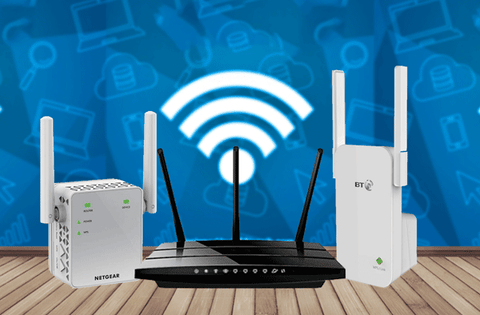
Dedicated Wifi Extenders
Dedicated WiFi extenders are devices made solely to amplify your existing WiFi signal. They are simple to set up—usually just plug in and connect to your main router’s network.
Because they’re purpose-built, these extenders often provide a stronger and more stable connection than a router used as an extender. Many models come with smart features like signal indicators to help you find the best spot for placement.
- Easy setup with minimal technical knowledge required
- Compact design fits anywhere in your home
- Affordable options for different budgets
Have you noticed dead zones in your home where your signal drops? A dedicated extender placed strategically could be the answer.
Mesh Wifi Systems
Mesh WiFi systems use multiple devices working together to cover every corner of your home. Instead of relying on a single router, you get a network of nodes that communicate seamlessly.
This setup eliminates the need to manually switch networks as you move around. You get consistent speed and fewer interruptions compared to a single router or extender.
- Automatic connection to the strongest node
- Scalable—you can add more nodes as needed
- Often includes user-friendly apps for easy management
Think about how often you move around your house with your laptop or phone. Wouldn’t it be great if your WiFi stayed strong everywhere without extra effort?
Credit: www.signalbooster.com
Frequently Asked Questions
Can Any Wifi Router Be Used As A Range Extender?
Not all WiFi routers support range extender mode. Check if your router has a “repeater” or “bridge” feature before setting it up as an extender. Using compatible routers ensures better signal boosting and network stability.
How To Configure A Wifi Router As A Range Extender?
Access your router’s settings through its IP address. Look for “Wireless Repeater” or “Range Extender” mode. Enter the main router’s SSID and password. Save changes and place the router halfway between your main router and weak signal area.
Will Using A Router As A Range Extender Reduce Internet Speed?
Yes, using a router as a range extender may reduce speed by up to 50%. This is because the extender splits bandwidth between receiving and transmitting signals. Dual-band routers can minimize speed loss by using one band for backhaul and another for devices.
Is It Better To Buy A Dedicated Range Extender?
Dedicated range extenders are optimized for boosting WiFi range and performance. They often provide easier setup and better features than repurposed routers. However, using an old router as an extender can be a cost-effective alternative if supported.
Conclusion
A wifi router can often work as a range extender. It helps boost your signal to reach far corners of your home. Setting it up may need some basic steps and settings changes. This option can save money compared to buying a new device.
Keep in mind, performance depends on the router model and placement. Test your connection after setup to ensure better coverage. Using your router as a range extender can improve your internet experience. Simple and effective for many home networks.